

Plan your projects, without the headache.
You describe the tasks and what depends on what; the software works out the dates, the slack and the critical path. Simple and fast, on Mac, PC, iPhone and tablet.
Online beta only: it runs in your browser, free, with no sign-up and no account. The Mac, iPhone and iPad app (€4.99, one-time purchase) is coming soon to the App Store, and a PC (Windows) version will follow.
- Free during the beta
- Mac, PC, iPhone, tablet
- No account
- Works offline
Outline, PERT network and timeline move together.
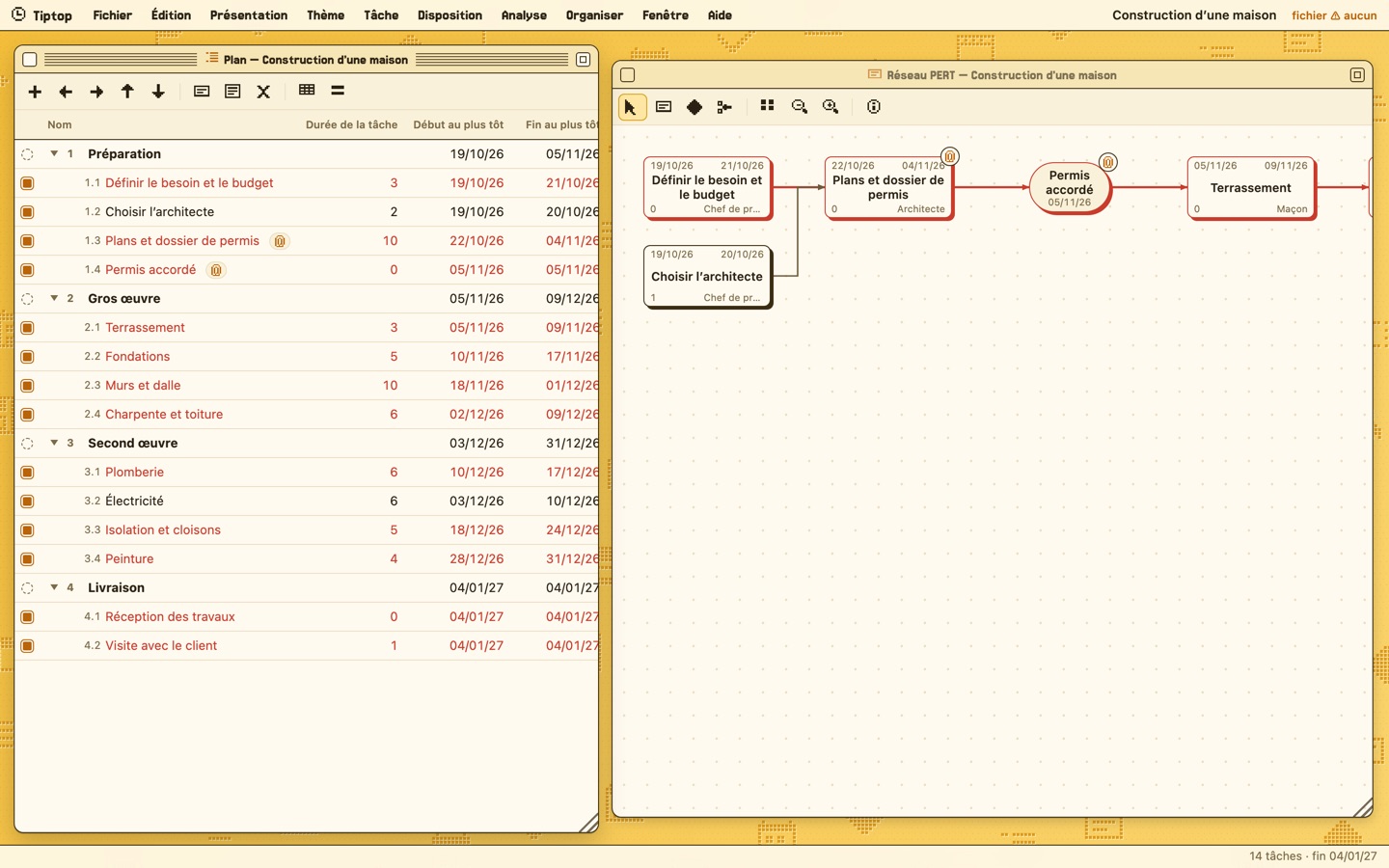
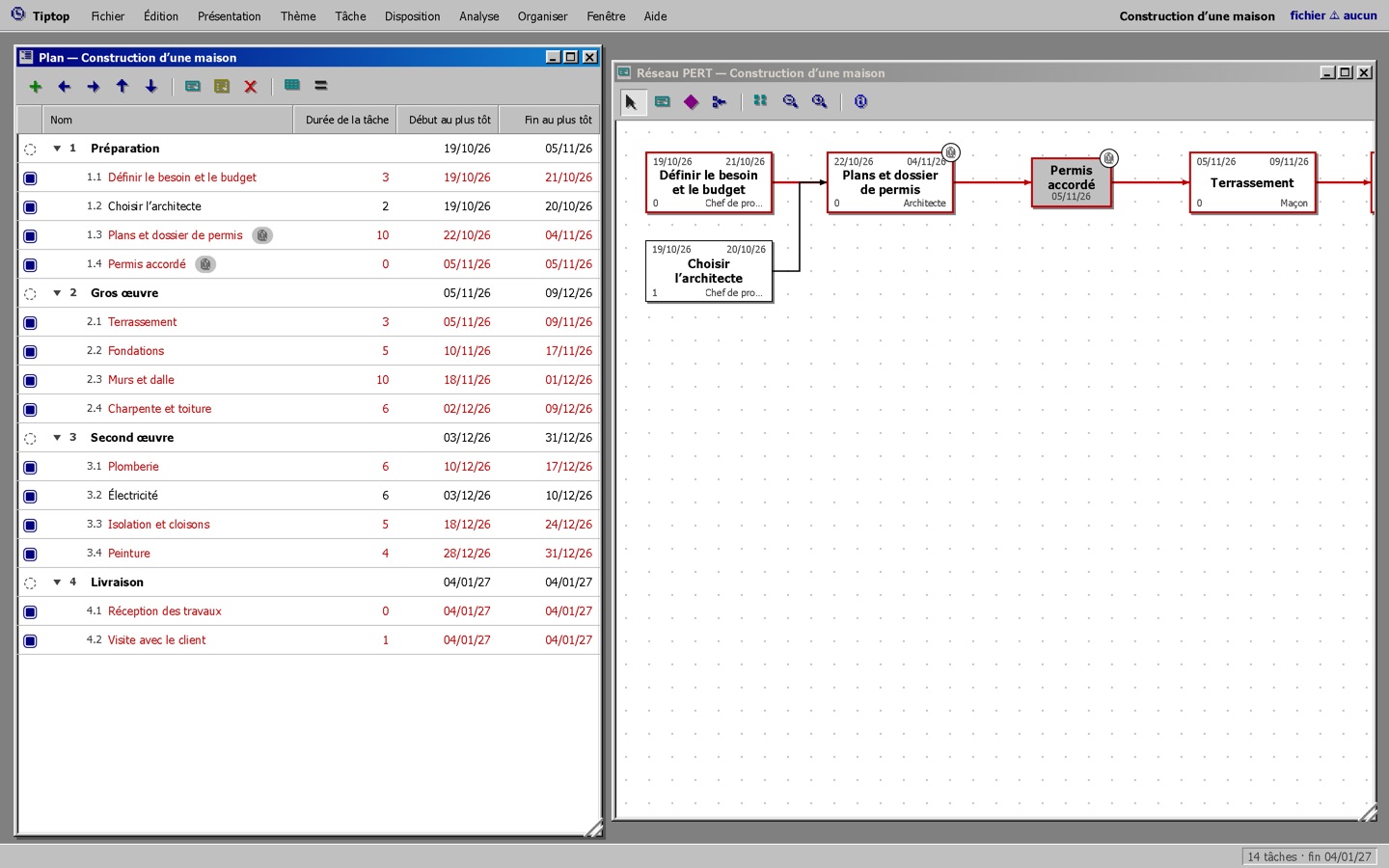
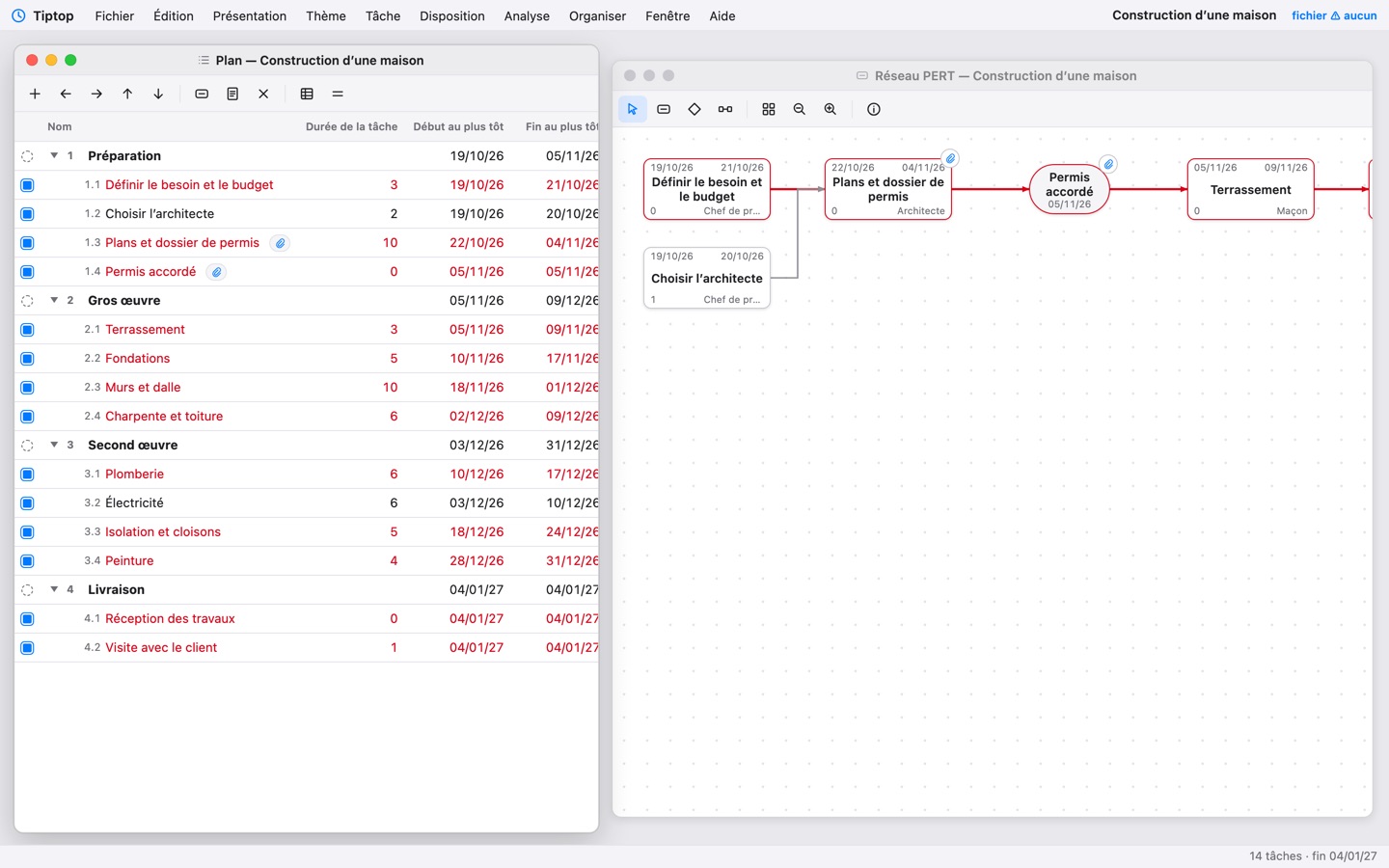
Tiptop Retro, Retro PC 95 or Current system.
Try things without fear, step back.
Nothing is sent over the Internet.
From first draft to schedule, in minutes.
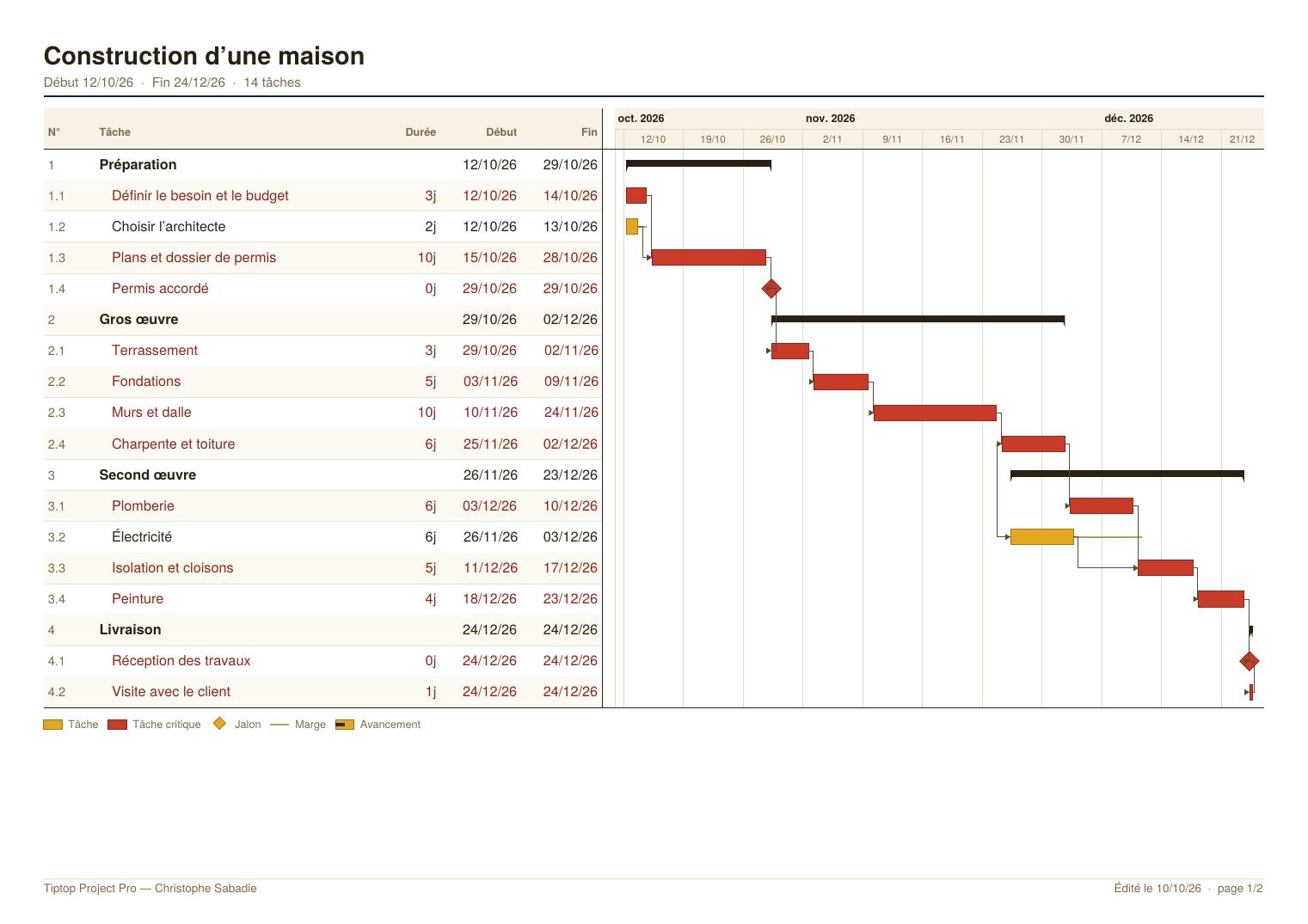
A sample project, building a house, is included so you can explore right away.
- 1List the tasks: phases, subtasks and durations, typed as in a spreadsheet.
- 2Link them: drag from one box to another in the PERT network, what depends on what.
- 3Read the schedule: dates, slack and the red critical path update with every change.
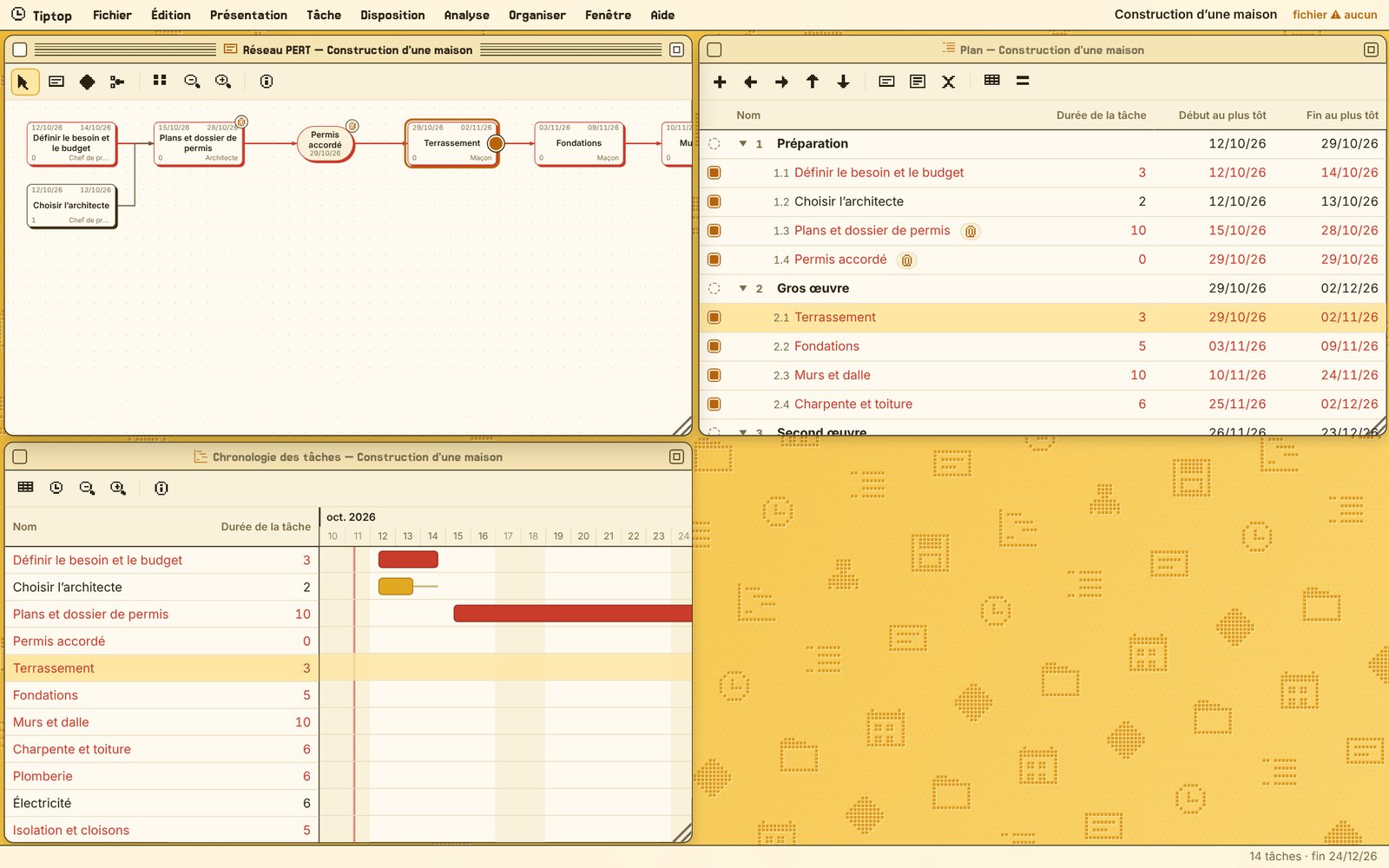
Everything you need to keep a schedule
One project, several ways to look at it. Change a date, a duration or a link in one window: all the others update.
A hierarchical outline
List your tasks, nest them into subtasks and summaries that fold up. Type on the keyboard, as in a spreadsheet.
The PERT network
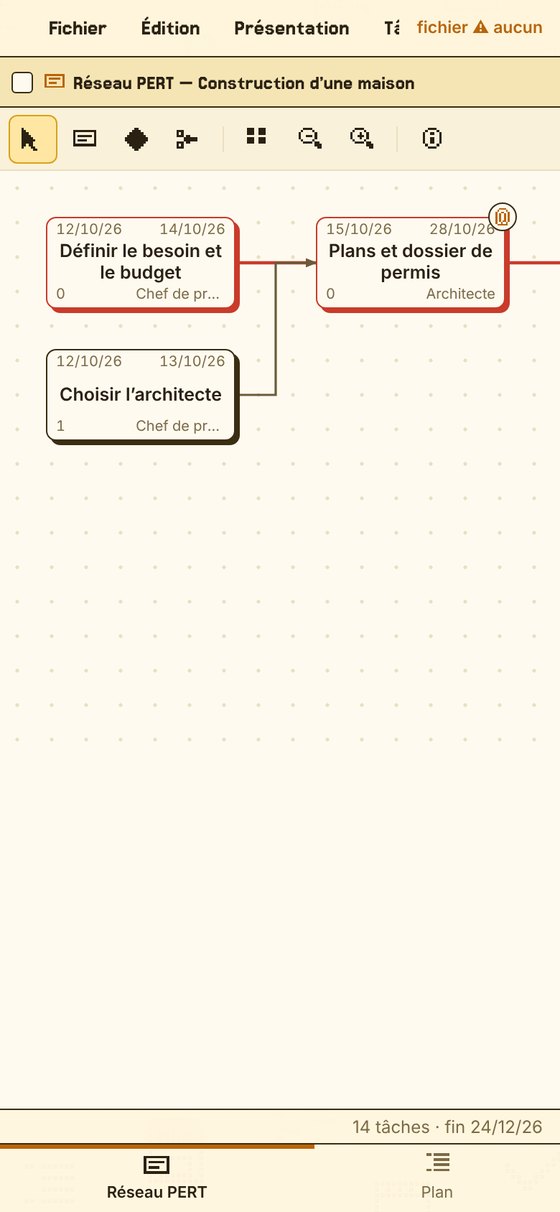
Each task is a box, each dependency an arrow. Drag from one box to another to link them, with a finger or a mouse.
The timeline
The same tasks as bars on a calendar, by day, week or month, with slack and progress.
Dependencies and lags
Finish → start, start → start, finish → finish, with a positive or negative lag: drying time, overlap.
Critical path and slack
Tasks that cannot slip are in red. You see at once where to act to shorten the project.
Calendars and holidays
Working hours, weekends, time off, and French public holidays in one click. One calendar per task or per resource.
Resources and costs
Who works on what, how many days, at what rate. The cost of each task and of the project is calculated for you.
Tracking and baseline
Percent done, actual dates, “calculate from actuals”, and a snapshot of the initial schedule to measure the gap.
One-page PDF export
Schedule or network, A4 or A3, sharp and ready to print, with your name and the date in the footer.
Undo, redo
A hundred levels of undo: try things without fear, step back in one gesture.
Attachments
Attach the permit as a PDF, site photos or a Word quote to each task. Everything travels with the project in the saved file.
Free windows
Move, resize from any side, tile. The Window menu opens and closes each view.
Three themes
Tiptop Retro in pixels, Retro PC 95 in grey relief, or the windows of your own Mac or PC, light or dark.
Your files, at home
Automatic saving in the browser, and files to keep in iCloud Drive or a folder.
Help assistant
Ask a question in your own words: the assistant finds the answer in the user guide, on your device, sending nothing.
Built-in user guide
A complete guide inside the software, and a PDF to download: first steps, windows, dates, resources, files.
Mac, PC, iPhone, tablet
An interface that adapts to every screen, installable on the home screen, usable offline.
Three themes, to your taste
Theme menu: change the look of the software in one click. Each theme has its own windows, buttons, icons and fonts, light or dark. Your projects stay the same.
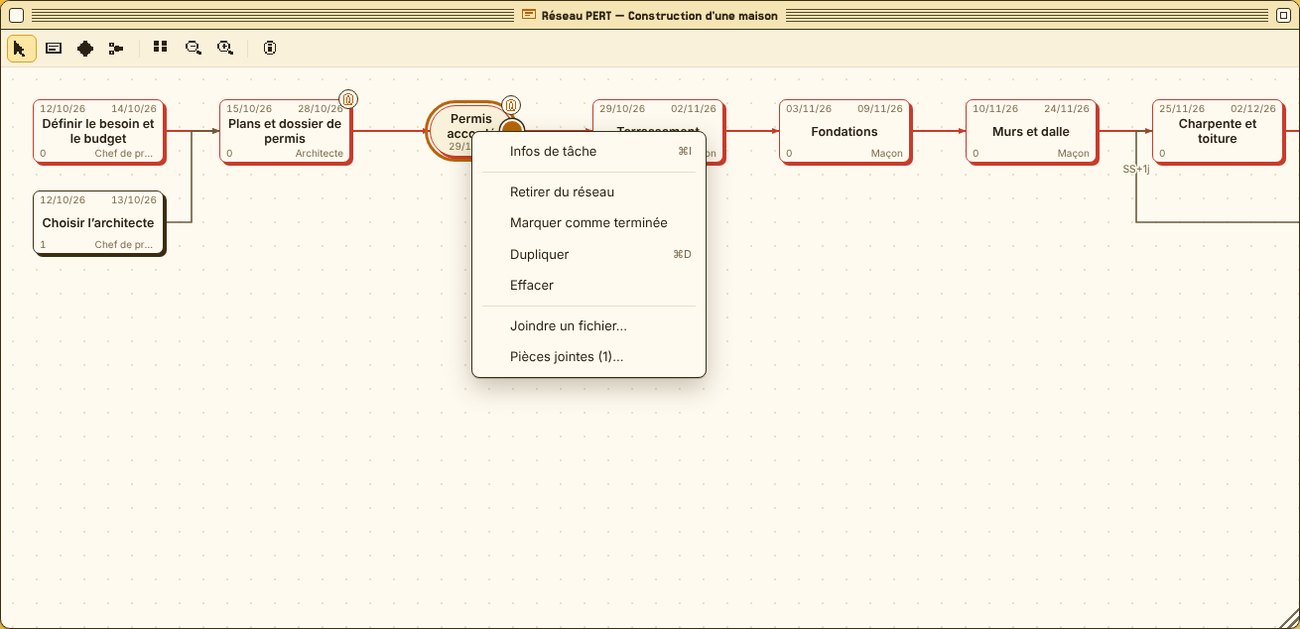
The permit, the photos, the quote: on the task
Attach files to any step: the building permit as a PDF on “Permit granted”, site photos, a Word quote, an Excel sheet. A small paperclip marks the tasks that have some.
- 1Right-click the task (long press on phone and tablet), or simply drag the file onto it.
- 2View images and PDFs right in the software.
- 3Take them along: attachments are included in the project's file.
A question? Just ask it
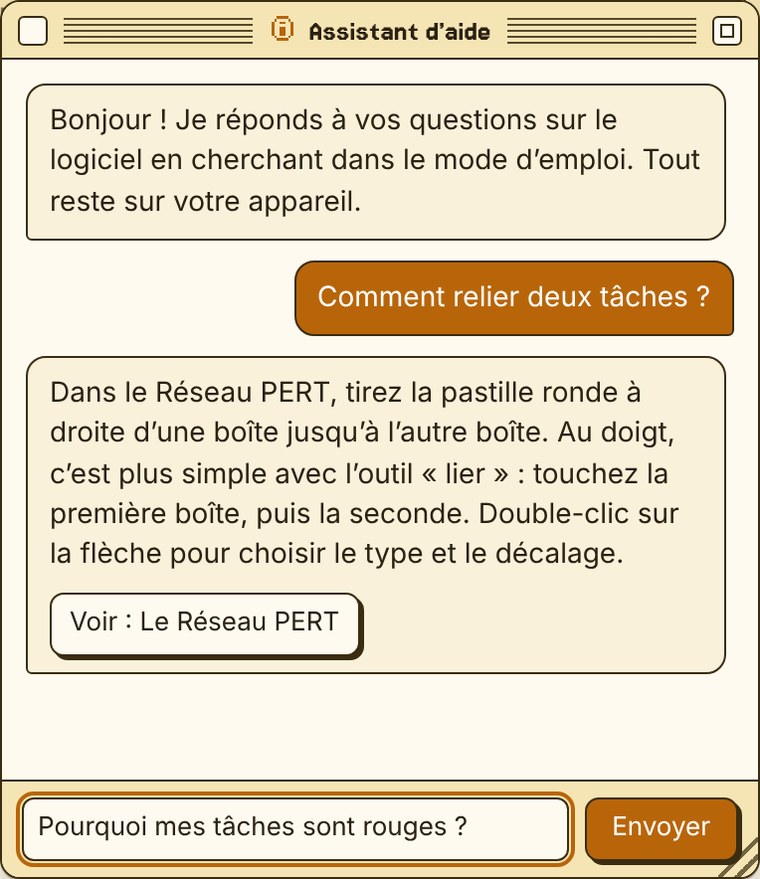
In the Help menu, “Ask a question” opens a small chat window. Write in your own words: the assistant searches the user guide and shows the passage that answers.
- 1Ask: “how do I link two tasks?”, “why are my tasks red?”.
- 2Read the answer, or open the full topic in one click.
- 3Nothing leaves your device: it works even offline.
One tap, and it's on your home screen
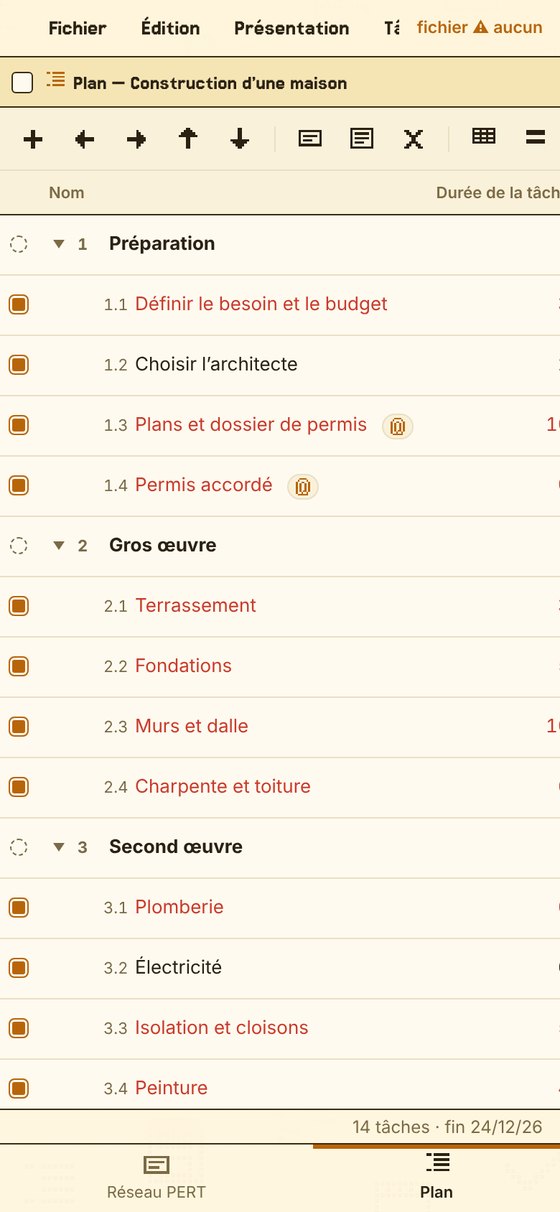
Tiptop Project Pro opens in your browser and installs like an app, without the App Store. On phone and tablet the interface adapts: one window at a time, tabs at the bottom, touch gestures to link tasks.
- 1Open the beta: Safari on iPhone and iPad, Chrome or Edge on PC and Android tablets, any browser on a Mac.
- 2Install it: on iPhone and iPad, Share then “Add to Home Screen”; on a PC or Android, “Install” in the browser menu.
- 3Launch it from its icon: it opens full screen and works even offline.
No account. Your projects are yours.
Nothing is sent over the Internet. Projects can be kept in two places, and the software always tells you where you stand.
In the browser
Every change is saved automatically, on the device you are using. Handy, but fragile: if you clear the browser's data or change device, those projects are gone.
In a file
“Save to a file” creates a file you keep wherever you like: a folder, iCloud Drive, Dropbox, a USB stick. Kept in iCloud Drive, it is on your Mac, iPad and iPhone.
A “full backup” also gathers all your projects into a single file.
Twenty-two topics, and a schedule on one page
The user guide walks you through: first steps in five minutes, themes, outline, network, dependencies, date constraints, resources and costs, attachments, saving, PDF export, shortcuts. Currently in French; the software itself is in English and French.
- The schedule or the PERT network fits on a single A4 or A3 page
- The critical path in red, ready to print or send
Coming soon as an app, on Mac, iPhone, iPad and PC
Tiptop Project Pro is coming to the App Store for Mac, iPhone and iPad: €4.99, one-time purchase, no subscription. A PC (Windows) version will follow. Meanwhile, the online beta is free and already works everywhere.
The outline, the PERT network and the timeline in real windows, with keyboard and mouse.
Mac App StoreComing soonYour schedule in your pocket: one window at a time, touch gestures to link tasks.
App StoreComing soonTiptop Project Pro as an app for PC too. Meanwhile, the online beta already works on PC.
PC versionComing soonFrequently asked questions
Is it really free?
Yes: the online beta is free, with no sign-up and no account. The Mac, iPhone and iPad app is coming soon to the App Store, at €4.99 as a one-time purchase. A PC (Windows) version will follow.
Which devices?
In the browser, on Mac, PC, iPhone and tablet. Installed on the home screen, it opens like an app.
Where are my projects saved?
Only on your device: automatically in the browser, and in a file when you choose “Save to a file”. Remember to save important projects to a file.
Does it work offline?
Yes. Once installed on the home screen, it works even without a network.
What does “beta” mean?
The software is usable right now, and more features are on the way: resource levelling, cost charts, cash flow.
A problem, a suggestion?
Write to [email protected]: every message is read. See also the privacy policy.
Ready to plan?
The online beta is open to everyone, free. The Mac, iPhone and iPad app is coming soon to the App Store (€4.99), then a PC version.