

Edit your photos, simply.
One-click cut-outs, light and colour, retouching, layers and text: Photo-top keeps the essentials of photo editing, makes them simple, and explains everything.
- €4.99 · one-time purchase
- Apple silicon and Intel Macs · macOS 11+
- 18 languages
- No data collected
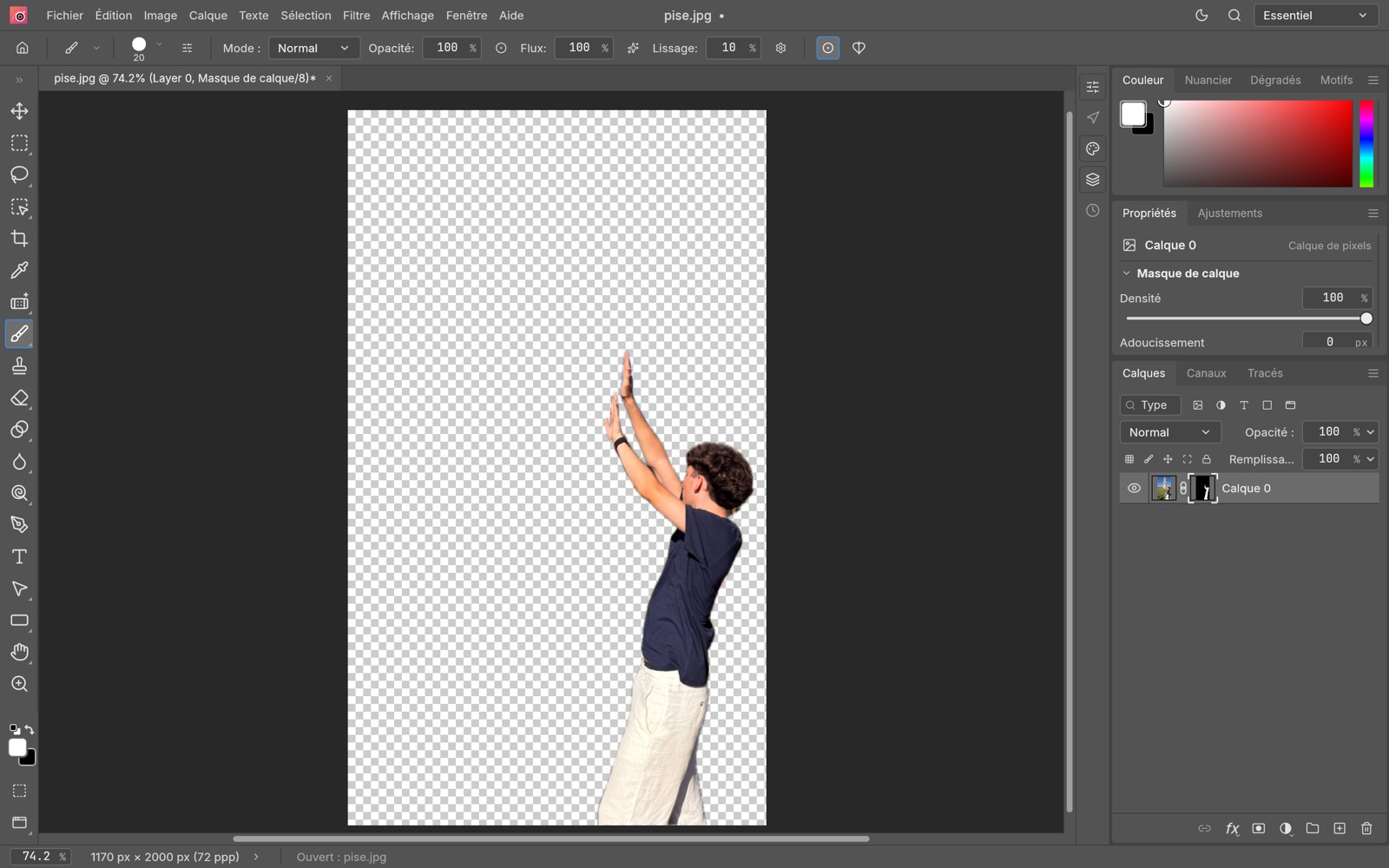
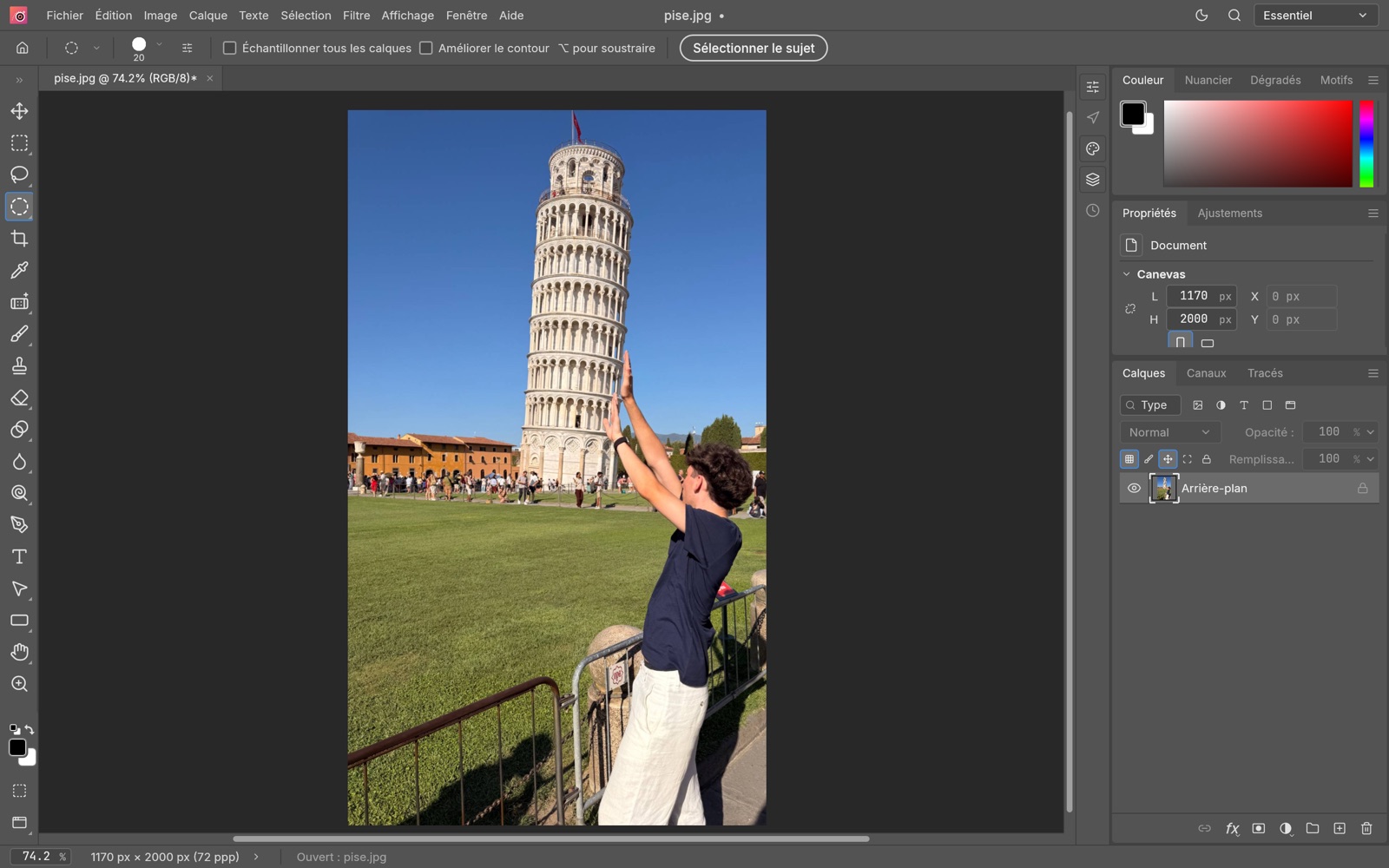 BeforeAfter
Hair and hands included, using your Mac's AI.
No subscription, no ads, no account.
The app follows your Mac's language.
Ask your question in your own words.
Everything you need. Nothing you don't.
Only finished features, tested on real photos: no greyed-out menus, no intimidating expert tools.
One-click cut-outs
Select › Subject finds the main person or object. Select › Sky, to change the sky.
Light and colour
Brightness/Contrast, Levels, Curves, Exposure, Hue/Saturation, Color Balance.
Retouching
Spot Healing, the Remove tool, Clone Stamp, red eye: blemishes and distracting objects disappear.
Crop and straighten
Square, 4:3 or 16:9 formats, a horizon straightened with one line, image and canvas size.
Layers and masks
Combine several photos, hide the background without erasing it, fix it later.
Text and shapes
Titles that stay editable, text on an arc, shapes, drop shadow, stroke and glow.
Filters
Blur, sharpen, noise reduction, Liquify, lens correction, with a preview.
Help that answers
Press F1 and ask: the assistant shows you the steps and opens the right menu.
All your files
Opens JPEG, PNG, HEIC (iPhone photos), WebP, TIFF, GIF and PSD with its layers. Exports JPEG, PNG, WebP…
Fast and native
Written for the Mac and accelerated by its graphics card (Metal), on Apple silicon and Intel alike.
A dull photo? It comes back to life.
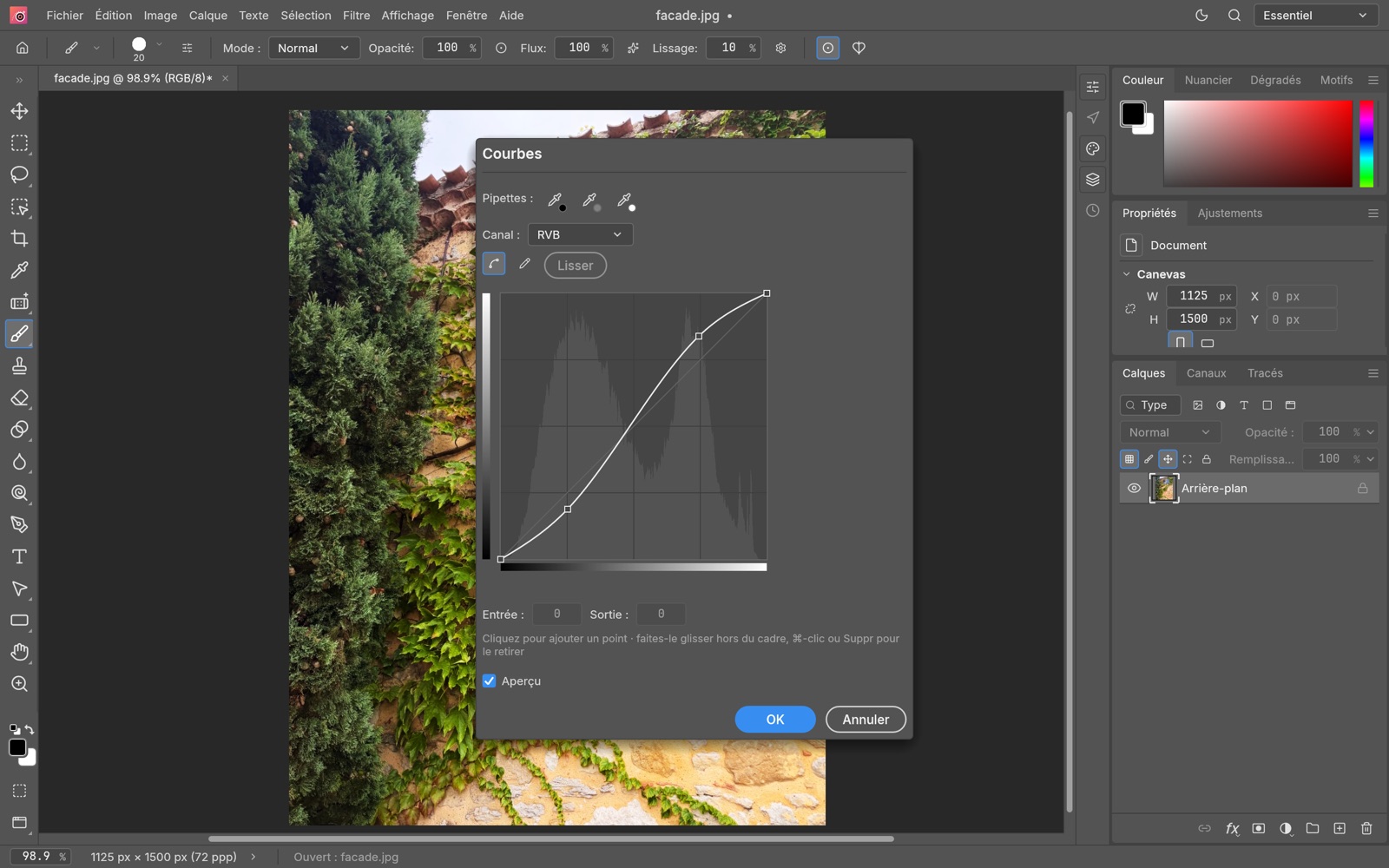
Image › Adjustments gathers the settings that matter. Each one shows the result live on the photo: you confirm when you like it.
- Brightness/Contrast to start, Curves and Levels to go further
- Shadows/Highlights to brighten a backlit shot
- Adjustment layers, editable at any time without harming the photo
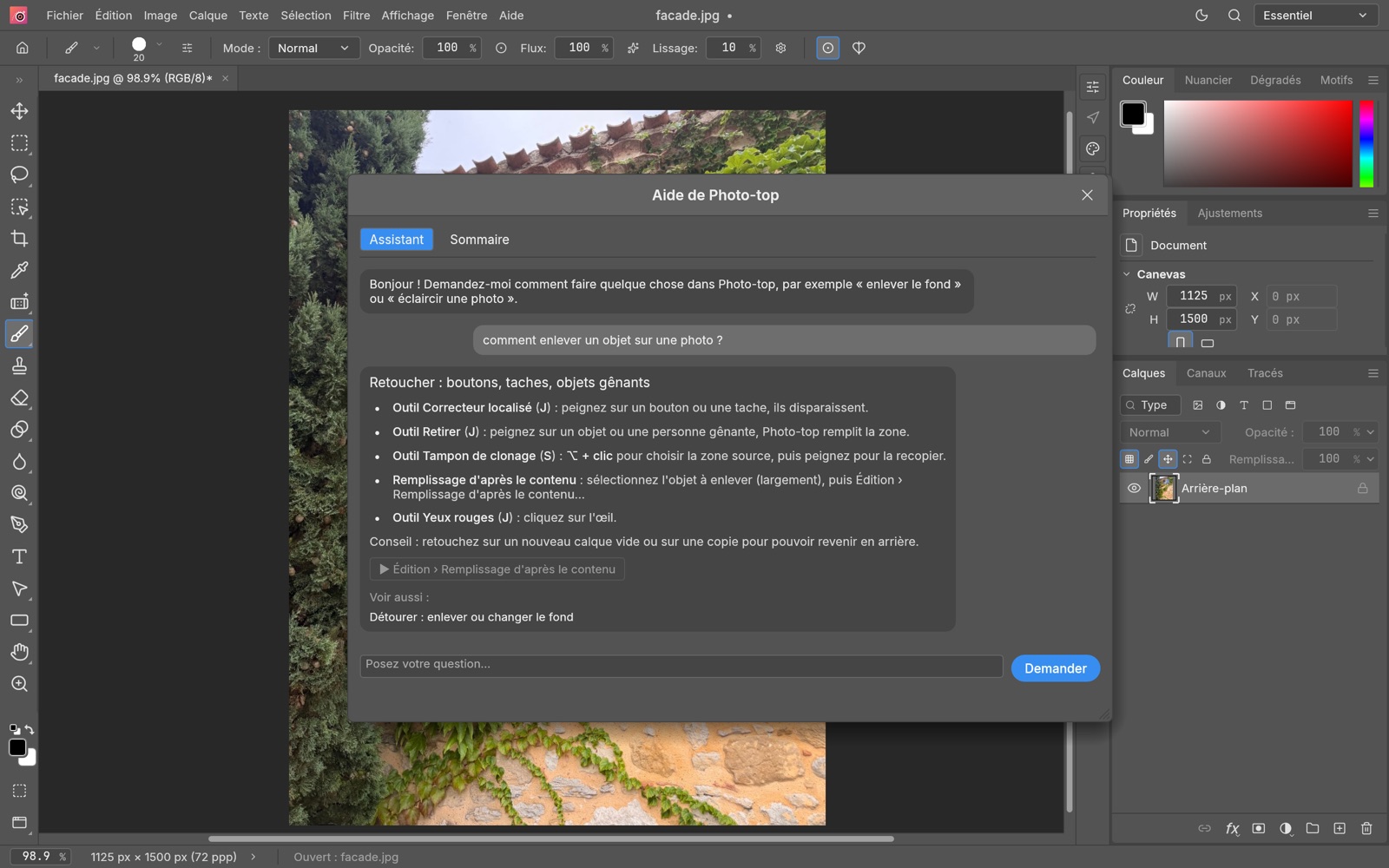
Ask the question. Photo-top shows the way.
Press F1 and write in your own words: “how do I remove an object?”, “brighten a photo”. The assistant answers step by step and opens the right menu. No Internet needed.
- Answers drawn from the complete user guide
- A button that opens the right menu directly
- The same guide, online on this site
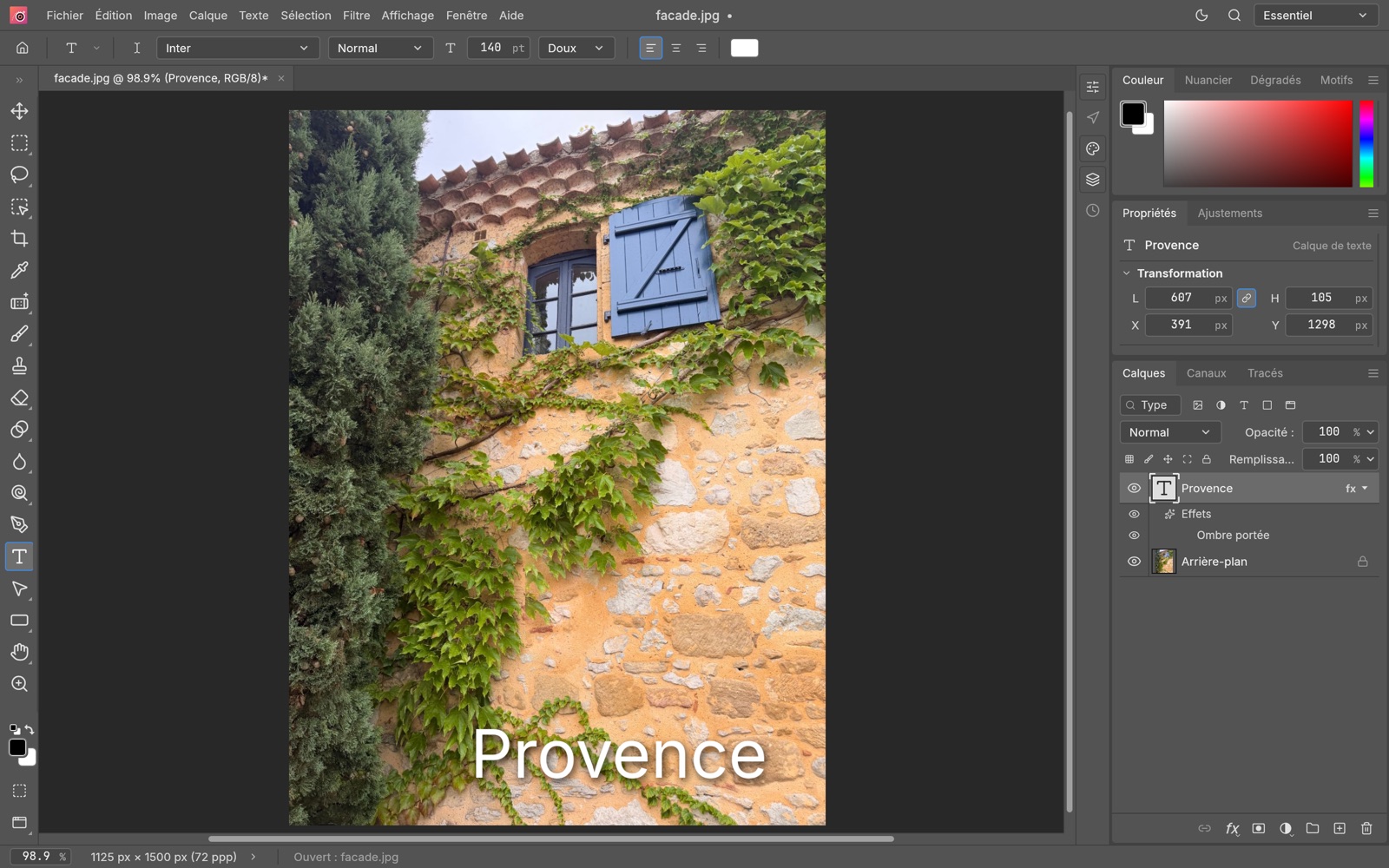
A title, a shadow, and it's a poster.
Add text that stays editable, a drop shadow or a stroke, combine several photos on layers. Everything can be adjusted and fixed afterwards.
- Straight text, on an arc or a wave
- Drop shadow, stroke, glow
- Layers and masks, like the pros
Distracting details fade away.
A spot on a face, a power line, a passer-by in the distance: paint over it with the Remove tool or Spot Healing, Photo-top fills the area.
- Spot Healing and the Remove tool
- Clone Stamp and Content-Aware Fill
- Red eye fixed in one click
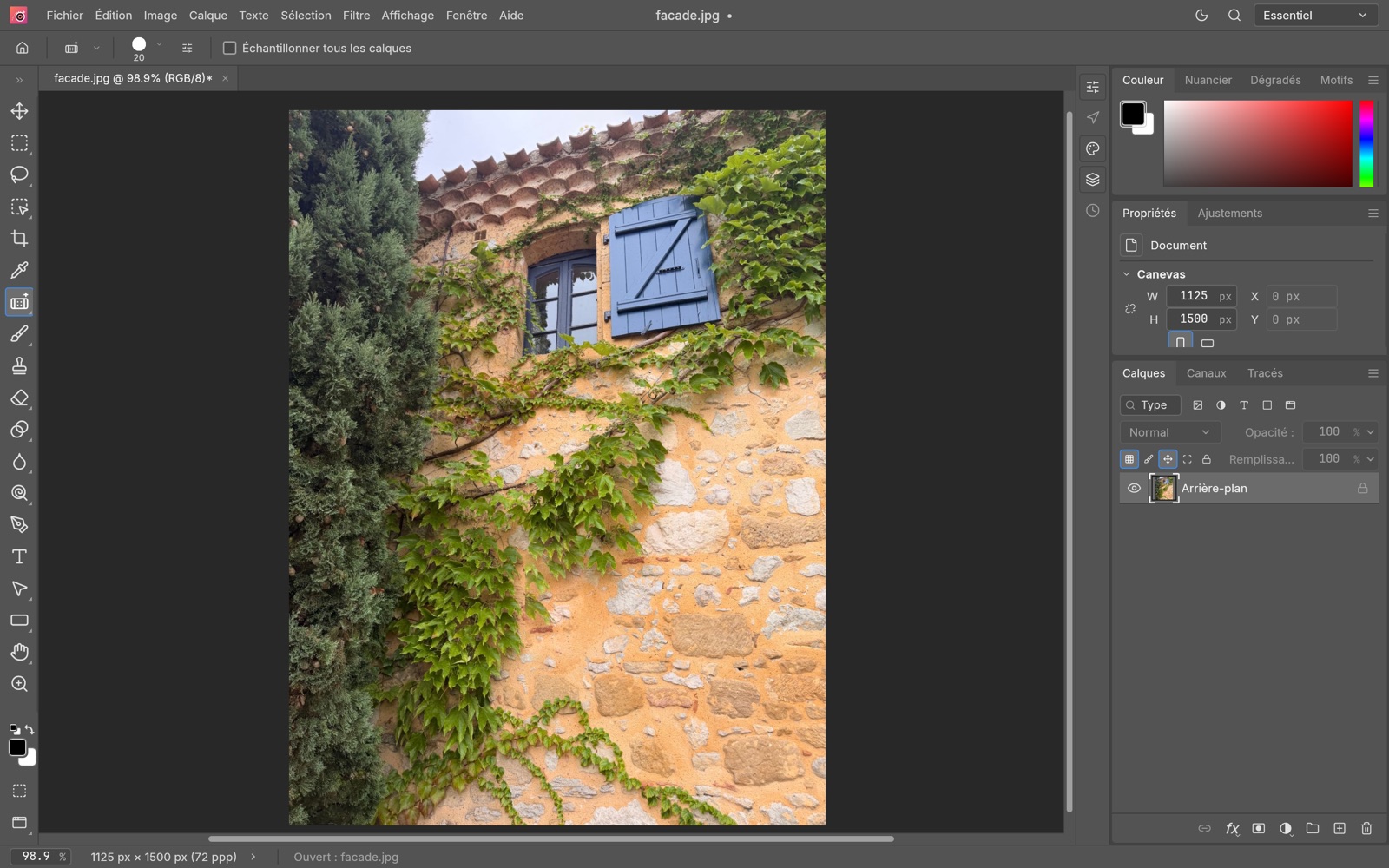
Screenshots show the app in French; Photo-top follows your Mac's language.
Coming soon to the Mac App Store
€4.99 once, updates included. No subscription, no ads, no account to create.
Apple silicon and Intel Macs, macOS 11 or later. Automatic cut-outs need macOS 14.
Mac App StoreComing soonFrequently asked questions
When will Photo-top be available?
Photo-top is coming soon to the Mac App Store, at €4.99 as a one-time purchase. Updates are included.
Which Macs does it run on?
Apple silicon and Intel Macs, with macOS 11 or later. Automatic cut-outs (Select › Subject) need macOS 14 or later.
Which files can I open?
JPEG, PNG, HEIC (iPhone photos), WebP, TIFF, GIF and PSD. PSD keeps the layers, so you can pick up your work later; to share, export as JPEG, PNG or WebP.
Do I need a subscription or an account?
No. €4.99 once, no ads, no in-app purchases, no account to create.
Are my photos sent over the Internet?
Never. Photo-top connects to no server. Even automatic cut-outs use your Mac's own artificial intelligence, on your Mac. See the privacy policy.
Which languages?
English, French and 16 other languages: German, Spanish, Italian, Portuguese (Brazil), Dutch, Polish, Czech, Russian, Ukrainian, Greek, Indonesian, Vietnamese, Japanese, Korean and Chinese (Simplified and Traditional).
A problem, an idea?
In the app: Help › Report an Issue…, or write to [email protected]. Every message is read and answered.
Ready to edit?
Photo-top is coming soon to the Mac App Store. Meanwhile, see everything it can do in the online help.